








What Is Mobile App Development: A Beginner’s Guide

Mobile App Development

Mobile apps have become a part of our daily lives, from ordering food to checking the weather. But have you ever wondered what goes into creating these apps? In this guide, we will explain what mobile app development is. We will also show how it works. Finally, we will discuss why it is important for businesses and developers.

What Is Mobile App Development?

Mobile app development is the process of making software applications. These applications run on mobile devices. Mobile devices include smartphones and tablets. These apps can be made for many purposes. Some apps are for playing games. Some help with work and productivity. Others let people connect on social media. Some apps are made to support businesses.

Quick Fact:

Over 6.5 billion people around the world use smartphones, which makes mobile apps a key way for businesses to reach their customers.

Another reason businesses are investing in apps is revenue potential: the global mobile app market is projected to reach over $407 billion by 2026, highlighting the growing opportunities in this space.

Types of Mobile Apps
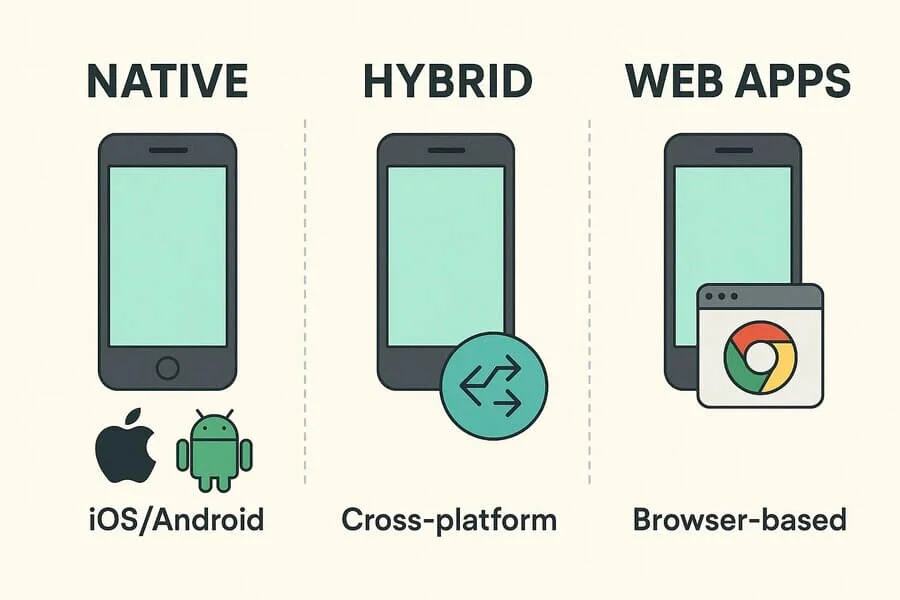
Illustration showing different types of mobile apps, including native, hybrid, and web apps, categorized by features and platforms.

There are three main types of mobile apps:

1. Native Apps

A native app is a software application made for a specific operating system, like iOS or Android. They are built for specific programming languages, like Swift or Kotlin.

Users download and install these apps directly on their devices. They are fast, provide a smooth experience, and can use the device’s features, such as the camera, GPS, and sensors. Examples include the Instagram app downloaded from the App Store or Google Play.

2. Hybrid Apps

Hybrid apps are mobile applications built using web technologies like HTML, CSS, and JavaScript. These apps are wrapped in a native container. This allows them to run on multiple platforms, such as iOS and Android.

Hybrid apps can also use device features like the camera, GPS, and notifications. They are faster and cheaper to develop because the same code can be reused across platforms. Examples include Evernote or Instagram (some features were originally built this way).

3. Web Apps

A web app is software that runs in a web browser instead of being installed on a device. Users access it over the internet using browsers like Chrome, Firefox, or Safari. Web apps don’t need installation and can work on different devices and operating systems.

Web apps use a client-server model, where the browser interacts with a server that stores the app’s data and logic. Examples include Gmail web (accessed via Chrome, Firefox, Safari). Web apps are easy to access, cost-effective to develop, and save storage on devices.

Note: Some apps exist in multiple forms—native, hybrid, and web—depending on the platform.

How Does Mobile App Development Work?
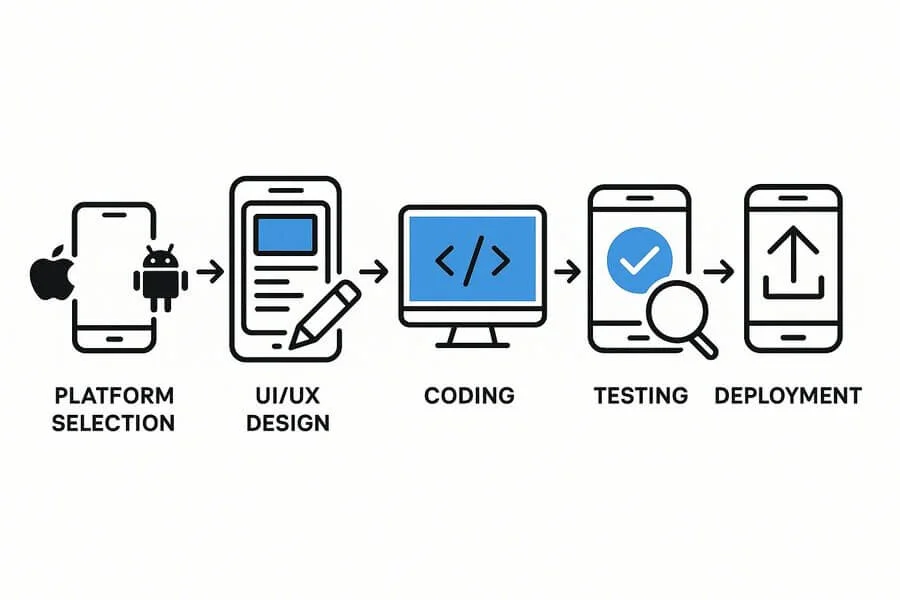
Diagram outlining key mobile app development steps, from planning and design to coding, testing, and deployment

Mobile app development happens in several steps:

  1. Platform Selection: Decide whether the app will be for iOS, Android, or both.
  2. Designing UI/UX: Make an easy-to-use interface and smooth experience for users.
  3. Development: Write the app’s code using the right programming languages and tools.
  4. Testing: Look for bugs, check performance, and ensure security.
  5. Deployment: Launch the app on app stores like Google Play or the Apple App Store.

Once an app is developed and deployed, the next question is—why does mobile app development matter for businesses and users? Let’s explore the key benefits

Why Mobile App Development Is Important

Graphic highlighting the importance of mobile apps for businesses and users, emphasizing convenience, engagement, and digital growth

Mobile apps are very important for businesses today. They help improve customer engagement and user experience. A well-designed app increases brand visibility and helps your business stand out. 

Apps provide insights into customer behavior, giving you a competitive edge. Businesses can also use custom mobile app solutions to tailor experiences for their audience. They allow direct connections with customers and can integrate with social media for sharing and promotion. Users can access your services anytime and anywhere.

Real-life example: Starbucks’ app lets users order ahead, collect loyalty points, and pay easily—boosting both sales and customer satisfaction.

While mobile apps offer numerous advantages, developing them is not without obstacles. Understanding these common challenges helps businesses and developers plan effectively.

Common Challenges in Mobile App Development
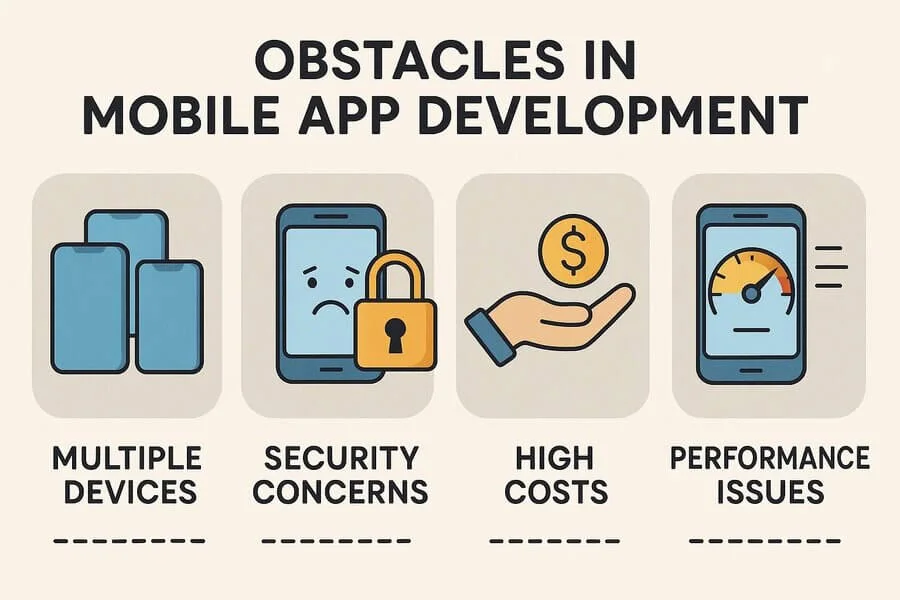
Illustration showing common mobile app development challenges, including performance issues, security risks, and platform compatibility.

Developing a mobile app comes with some challenges:

  • Platform Fragmentation: Many devices and screen sizes make development tricky.
  • Security Concerns: Apps must protect user data.
  • Budget and Timeline: App development can be costly and time-consuming.
  • Performance Issues: Ensuring smooth operation on all devices is critical.
  • High Development Costs: Developing apps for multiple platforms is costly and takes time.

To tackle these challenges, developers need a combination of technical and soft skills.

Skills Required to Become a Mobile App Developer

Graphic showing essential mobile app developer skills, including programming, UI/UX design, problem-solving, and platform knowledge.

To become a mobile app developer, you need technical skills. You also need good problem-solving abilities. Here are the main skills you need:

1. Programming Languages

Mobile apps are built using specific programming languages. For iOS, developers use Swift or Objective-C. For Android, they use Kotlin or Java. Hybrid apps can use JavaScript or TypeScript. They often use frameworks like React Native or Flutter. Knowing these languages helps developers write the code that makes the app work.

2. UI/UX Design Knowledge

A good app is easy and enjoyable to use. Understanding UI (User Interface) and UX (User Experience) helps developers create apps that are easy to use. They make apps look good and simple to navigate. This includes designing buttons, menus, layouts, and how the app flows.

3. Backend Integration

Many apps need to connect to servers or databases to store and retrieve data. Backend integration skills help developers work with APIs (Application Programming Interfaces) and databases. This makes features like user accounts, purchases, and cloud storage work.

4. Problem-Solving Skills

Bugs and performance issues are common in app development. Developers need strong problem-solving skills to identify issues, debug code, and optimize performance. This ensures the app runs smoothly on different devices and platforms.

5. Additional Skills

These skills help developers make apps that work well and are easy to use. There are also some additional skills. They are given below:

  • Version Control: Use Git to manage code and work with other developers.
  • Testing and QA: Understanding how to test apps for bugs, performance, and security.
  • Soft Skills: Good communication, teamwork, and understanding users help create better apps.

Having the right skills is essential, but developers also rely on specialized tools and technologies to build, test, and analyze mobile apps efficiently

Tools and Technologies for Mobile App Development
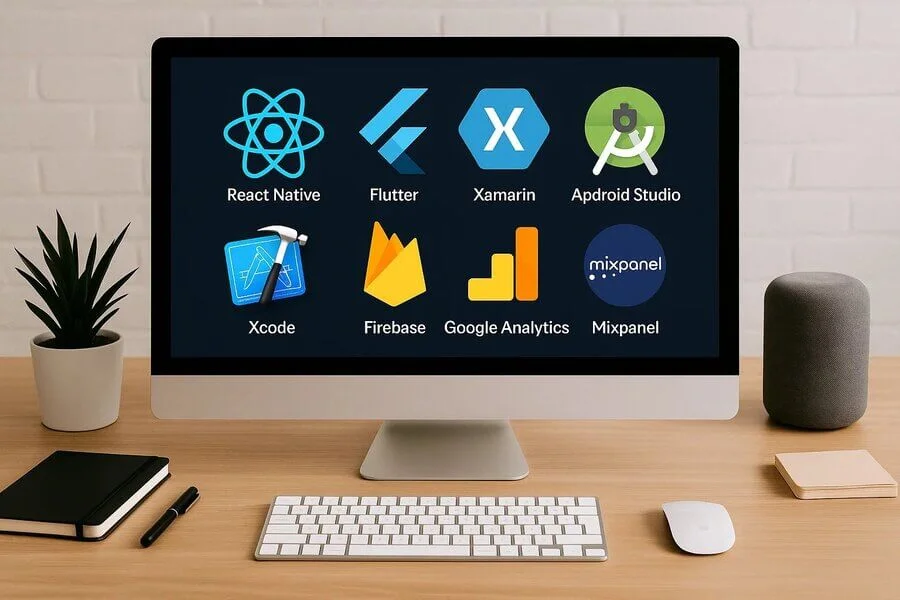
Graphic showing popular mobile app development tools, including frameworks, IDEs, testing tools, and cross-platform technologies

Modern developers rely on various mobile app development tools and frameworks to build apps efficiently.

  • Frameworks: React Native, Flutter, Xamarin
  • IDE (Integrated Development Environment): Android Studio, Xcode
  • Testing Tools: Appium, Firebase Test Lab
  • Analytics Platforms: Google Analytics, Mixpanel

How to Choose the Right Type of Mobile App for Your Business
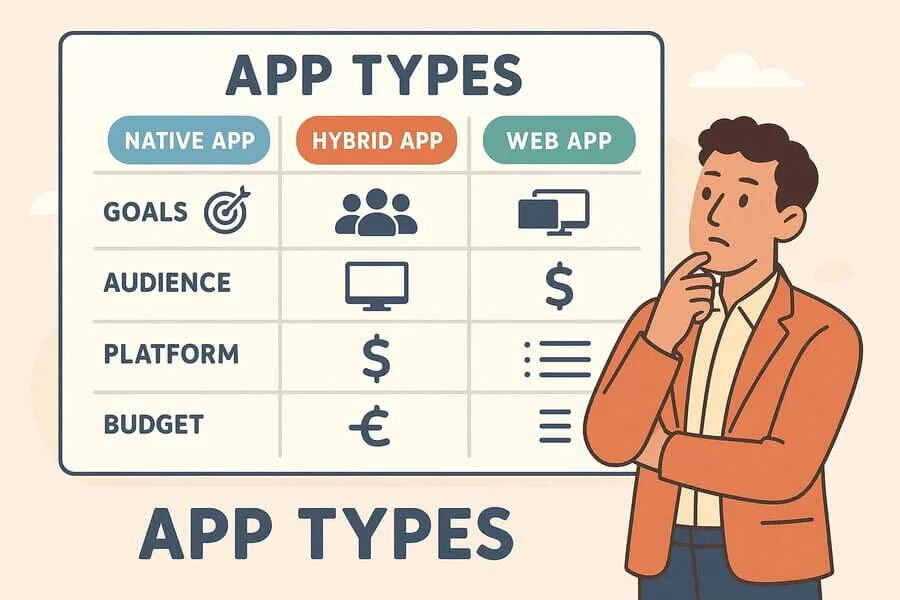
Graphic showing factors for choosing the right mobile app, including features, platform compatibility, user needs, and business goals.

When choosing the right type of mobile app for your business, it’s important to consider several key factors. This will help your app reach your goals, attract users, and be truly useful. Here’s a guide to help you make the best choice:

1. Start with Clear Goals

Choosing the right mobile app for your business begins with understanding your goals. Ask yourself what you want the app to achieve—whether it’s increasing sales, improving customer service, or engaging customers. Your goals determine the app type and features, ensuring it truly benefits your business.

2. Know Your Audience

Next, think about your audience. Who will use your app, and what devices do they prefer? If most customers use iPhones, an iOS app may be best. If your audience is more varied, an Android or a cross-platform app could reach more people. Understanding your users’ habits helps you design an app that they’ll enjoy and use regularly.

3. Choose the Right Platform

Platform choice is another key decision. Native apps, designed specifically for iOS or Android, provide excellent performance and access to device features like cameras or GPS. Hybrid apps run on multiple platforms, which can save time and money but may be slightly slower. Web apps, or Progressive Web Apps (PWAs), run in browsers, are affordable and easy to maintain, but have limited access to device features.

4. Analyze Competitors and Plan Features

Looking at competitors is helpful. Study similar businesses’ apps to see what works well and what doesn’t. This research can show gaps in the market and inspire features that make your app stand out. Focus on including essential functions first, such as login systems, push notifications, bookings, or chat support, and avoid overloading the app with too many features.

5. Consider Budget and User Experience

Budget and resources are important when choosing an app. Native apps cost more to develop, while hybrid and web apps are usually cheaper. Don’t forget ongoing costs like updates, maintenance, and marketing. At the same time, focus on a smooth user experience with simple navigation, fast loading, and intuitive design to keep users engaged.

6. Test and Refine Your App

Before launching, test your app with real users through beta testing. This helps you gather feedback, fix issues, and improve usability. By planning for growth, focusing on usability, and aligning your app with business goals, you can create a mobile app that truly benefits your business and your customers.

Future Trends in Mobile App Development

Illustration showing future trends in mobile apps, including AI integration, AR/VR experiences, 5G advancements, and personalized user experiences

Mobile app development is constantly evolving. Key future trends include AI-powered apps, more AR and VR use, wearable and IoT integration, and stronger app security. By keeping up with the latest mobile app trends, businesses can offer more engaging and secure experiences.

Conclusion

Mobile app development is a dynamic and essential field that allows businesses to connect with users and offer digital solutions. Whether you’re a beginner or a business owner, understanding mobile app development helps you make informed decisions—whether building an app yourself or hiring professionals.

Start exploring mobile app development today, and tap into the world of endless digital possibilities!

Frequently Asked Questions (FAQ)

What is mobile app development?

Mobile app development is the process of creating software applications that run on smartphones and tablets. Apps can serve various purposes, from games and social media to business solutions and productivity tools.

How long does it take to develop a mobile app?

The development timeline depends on the app type, features, and platform. Simple apps may take 2–3 months, while complex native apps can take 6–12 months.

What skills are needed to become a mobile app developer?

Key skills include programming (Swift, Kotlin, JavaScript), UI/UX design, backend integration, problem-solving, and knowledge of testing and version control tools.

How much does it cost to develop a mobile app?

Costs vary widely based on app complexity, platform, and features. Basic apps can start from $5,000–$10,000, while complex apps can exceed $100,000.

Show your love

Aperture in Photography: A Practical Guide

Aperture in Photography

Aperture in photography is one of the most powerful tools in a photographer’s toolkit. Whether you’re capturing dreamy portraits with soft backgrounds or sweeping landscapes with crystal-clear details from front to back, aperture plays a central role in shaping the final image.

More than just a setting on your camera, aperture affects how much light reaches the sensor, how much of your scene stays in focus, and even how sharp your photo turns out. Understanding how it works—and how to use it creatively—can transform your photography from ordinary to extraordinary.

In this guide, we’ll break down what aperture is, how it influences your photos, and how to choose the right aperture for different genres and shooting scenarios. From beginners learning the exposure triangle to experienced shooters refining their technique, this article will help you unlock the full creative potential of aperture

What is Aperture?

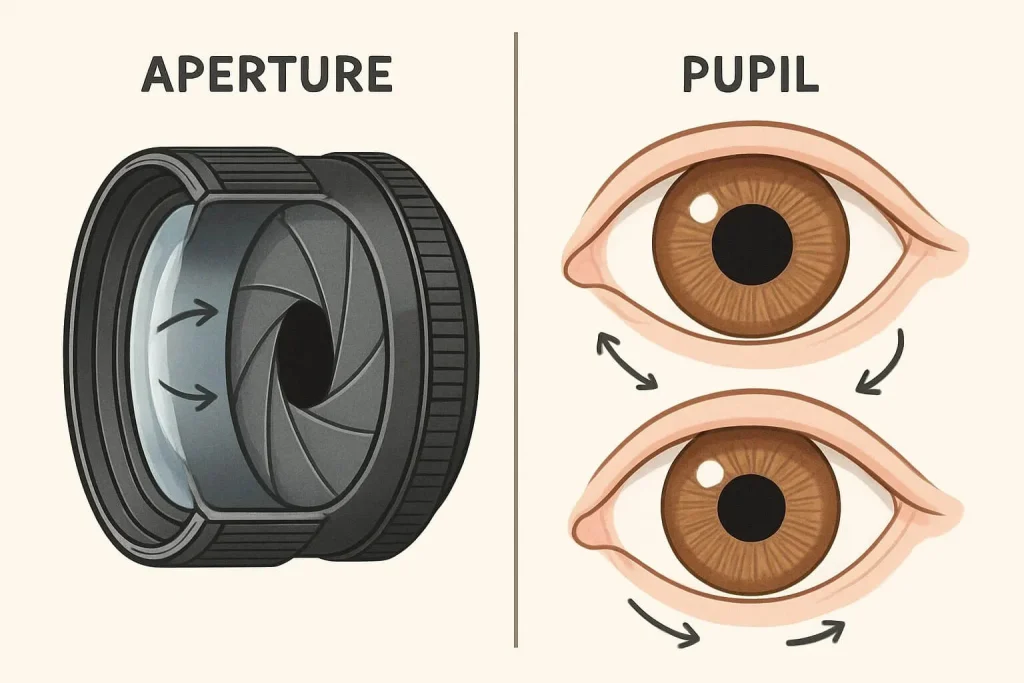
Diagram comparing a camera lens aperture and the human eye, showing how both control light entering through an opening.

Aperture is the opening in a camera lens through which light passes to reach the camera’s sensor or film. Think of it like the pupil of your eye — it can expand or contract to regulate how much light enters. In photography, aperture is expressed in f-stops — numbers like f/1.4, f/2, f/2.8, f/4, f/5.6, f/8, f/11, f/16, and f/22.

The f-stop number is the ratio of the lens’s focal length divided by the diameter of the aperture. For example, a 50mm lens with a 25mm aperture opening corresponds to f/2 (50 ÷ 25 = 2). Lower f-stop numbers mean a wider aperture opening, and higher numbers mean a smaller opening. This inverse relationship takes some practice to grasp.

How Aperture Affects Exposure

Graphic comparing how different aperture sizes affect exposure, showing wider apertures letting in more light.

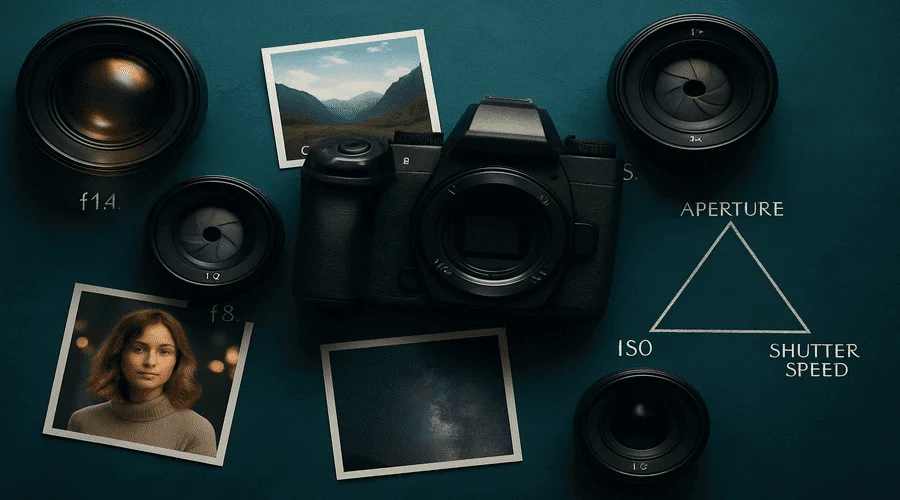
Aperture is one of the three elements in the exposure triangle, alongside shutter speed and ISO. Together, they control the brightness or darkness of your image.

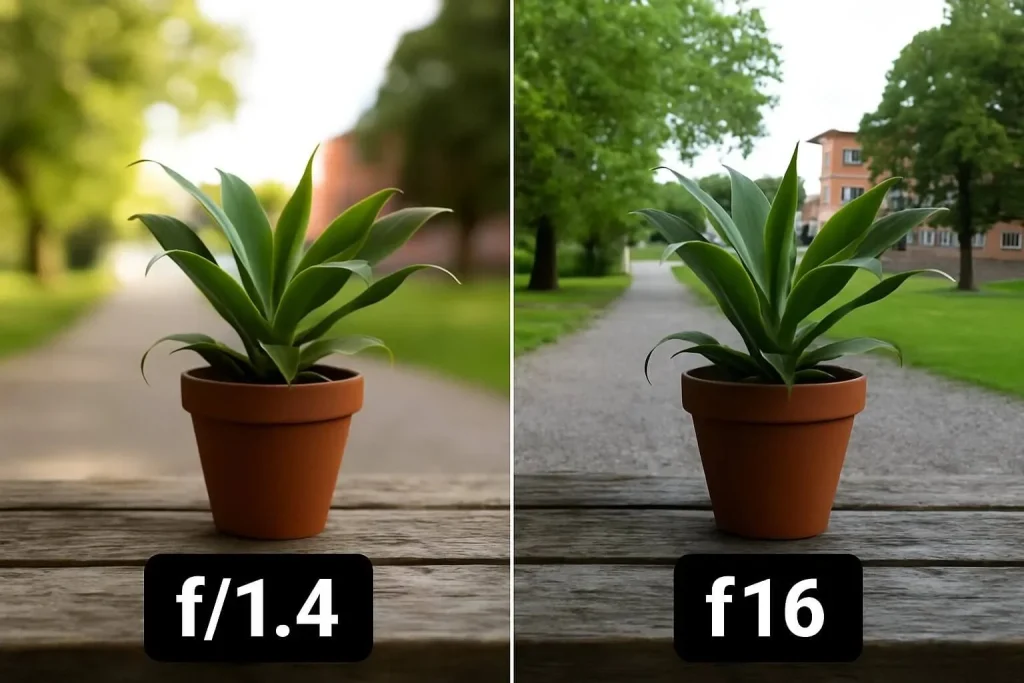
  • Wide Aperture (Low f-stop, e.g., f/1.4): Allows more light to enter, brightening the image. Ideal for low-light scenes or when a shallow depth of field is desired.
  • Small Aperture (High f-stop, e.g., f/16): Lets in less light, darkening the image. Perfect for bright conditions or when a deep depth of field is needed.

Opening the aperture impacts not just exposure but also depth of field and sharpness — all important creative factors. To fully understand how aperture, ISO, and shutter speed work together, Photography Life offers a clear and accessible explanation.

Depth of Field and Aperture

Comparison of depth of field in portrait vs landscape shots, showing shallow blur for portraits and deep focus for landscapes.

Depth of field (DoF) describes how much of the scene is in focus.

  • Shallow DoF (Low f-stop, e.g., f/1.4): Focuses sharply on the subject, blurring foreground and background. Common in portrait photography to separate the subject from distractions.
  • Deep DoF (High f-stop, e.g., f/16): Keeps foreground and background sharp, favored in landscapes for maximum detail.

Your aperture choice depends on the effect you want to achieve and your photography style.

Aperture and Lens Sharpness

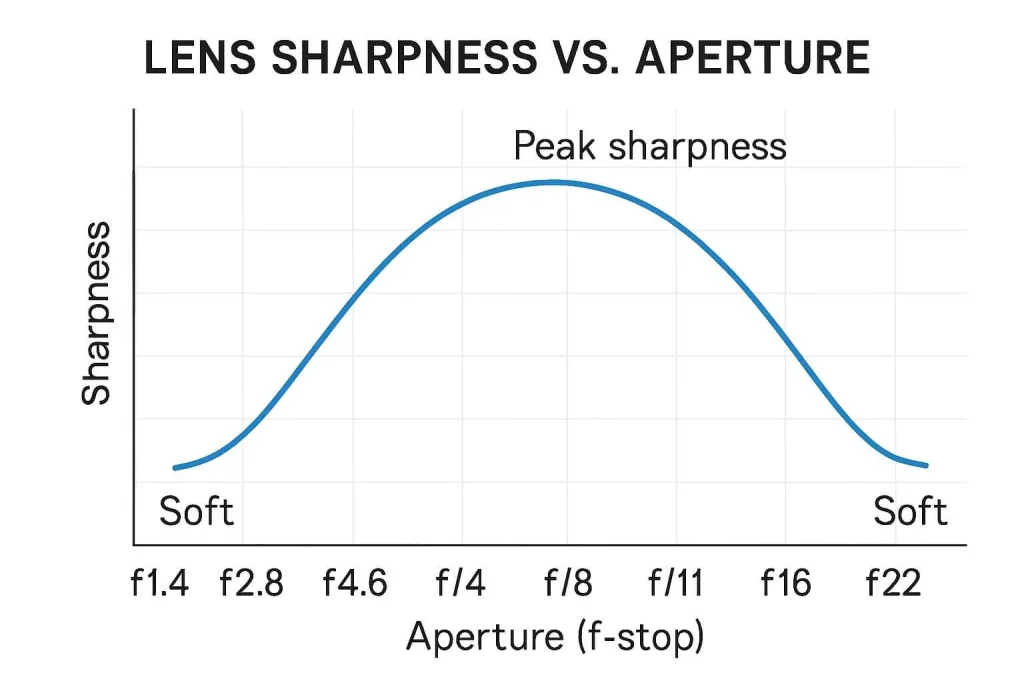
Chart showing how lens sharpness changes with aperture, peaking around mid-range f-stops and decreasing wide open or stopped down

Aperture affects light intake and depth of field, but also influences lens sharpness. Most lenses have an optimal aperture range (usually around f/8 to f/11) where sharpness peaks. Wider apertures (f/1.4 or f/2) may produce slightly softer images or vignetting, while very small apertures (f/22) can cause diffraction, reducing sharpness.

Knowing your lens’s “sweet spot” helps capture the best quality, but creative goals often take precedence over pure sharpness. If you want to upgrade your gear for better aperture control, see our review of the best cameras for photography.

Aperture Priority Mode

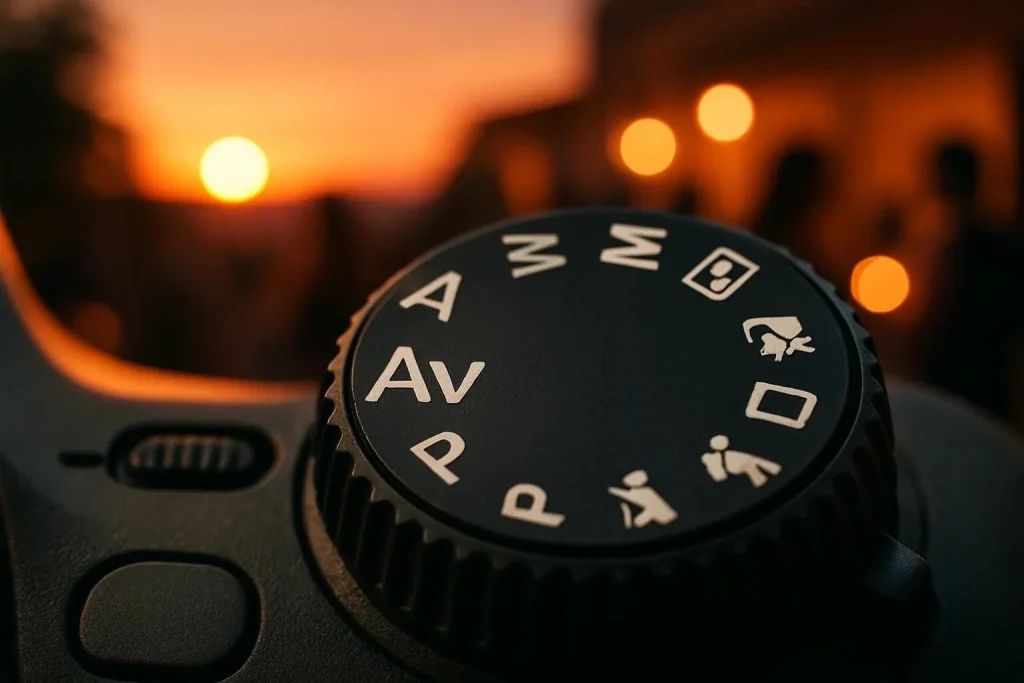
Camera mode dial highlighting Aperture Priority (A/Av), indicating the setting used to control aperture manually

Aperture Priority mode (“A” or “Av”) lets you choose the aperture while the camera sets the shutter speed. It’s ideal for changing light conditions, helping you control the depth of the field without worrying about exposure. If you want to experiment with how the exposure triangle works in real time, check out this interactive exposure triangle tool by Peta Pixel.

Practical Aperture Applications in Photography

Understanding how aperture influences your images helps you make creative choices across various photography genres. Here’s a quick guide on which apertures to use and what effects you can expect:

  • Portraits (f/1.4 – f/2.8): Smooth, blurred backgrounds to make subjects pop.
  • Landscapes (f/8 – f/16): Full scene in focus from foreground to horizon.
  • Macro (f/5.6 – f/11): Sharp subjects with softly blurred backgrounds.
  • Street (f/5.6 – f/8): Balance focus and context.
  • Low Light (f/1.4 – f/2.8): Bright images without increasing ISO.
  • Product (f/4 – f/8): Emphasize product details with subtle background blur.
  • Astrophotography (f/1.4 – f/2.8): Capture faint starlight clearly.
  • Architecture (f/8 – f/16): Sharp details from front to back.
  • Wildlife (f/2.8 – f/5.6): Isolate subjects from busy backgrounds.
  • Bokeh Effects (f/1.4 – f/2.8): Artistic, circular out-of-focus highlights.
  • Group Photos (f/5.6 – f/8): Keep everyone in focus.
  • Waterfalls (f/11 – f/16): Long exposures for silky water.
  • Food (f/2.8 – f/5.6): Highlight the main dish.
  • Events (f/2.8 – f/4): Adapt quickly in changing light.
  • Black & White: Use aperture to control mood and texture.

Conclusion: Mastering Aperture in Photography

Aperture is a powerful tool that shapes exposure, depth of field, and image sharpness. By learning how to use aperture effectively, you gain full creative control to produce photos that truly reflect your vision. Whether shooting portraits, landscapes, or any style in between, mastering aperture opens new doors to creativity.

Remember, photography blends technical knowledge with experimentation. Don’t hesitate to try different apertures and see how they transform your images. Over time, you’ll develop an intuitive feel for which settings suit each situation, helping you capture your perfect shot every time.

Frequently Asked Questions

What aperture should I use for portraits?

For portraits, use a wide aperture between f/1.4 and f/2.8. This creates a soft, blurry background that makes the subject stand out.

How do I choose the right aperture in low light?

In low light, choose a wide aperture like f/1.4, f/1.8, or f/2.8. This lets in more light without raising ISO too high, reducing noise.

What does f-stop mean?

An f-stop is the number that represents the aperture size. Lower f-stops mean a wider opening and more light. Higher f-stops mean a smaller opening and less light.

What aperture should I use for bokeh?

For strong bokeh, use a wide aperture like f/1.4 to f/2.8. This creates smooth, round background blur.

Show your love

Top 10 Online Clothing Stores in 2025

Online Clothing Stores

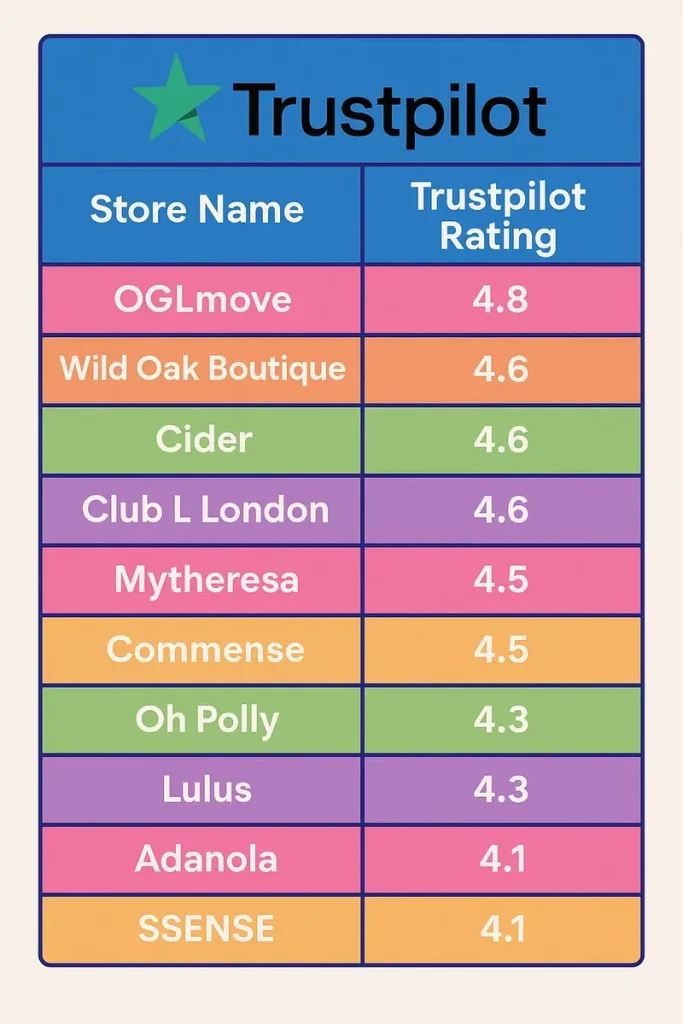
Tired of shopping from online stores that don’t live up to the hype? So were we. That’s why we checked reviews on Trustpilot and other customer feedback to find the most reliable and stylish clothing stores online. These 10 picks are tried, tested, and loved by real people.

Quick Comparison: Best Online Clothing Stores in 2025

Graphic highlighting the best online clothing stores in 2025 based on Trustpilot reviews, featuring top-rated fashion brands

Top 10 Online Clothing Stores in 2025

1. OGLmove

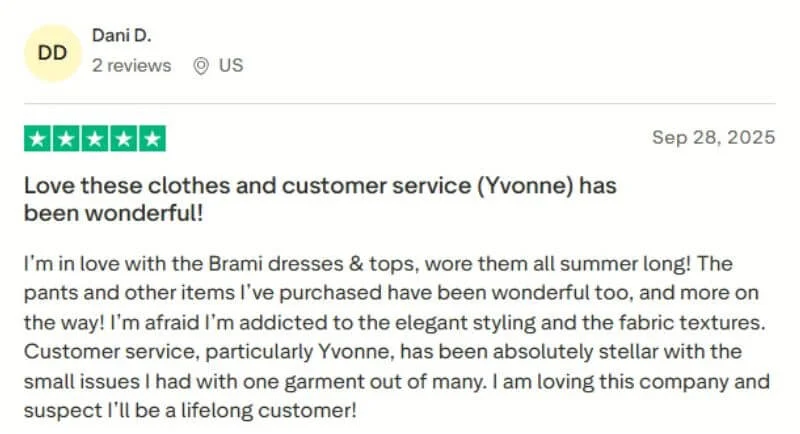
Oglmove Trustpilot Reviews

Think eco-friendly and guilt-free shopping with OGLmove. Build a sustainable wardrobe that is kind to the planet and stylish. Find basics like sustainable leggings, eco-friendly tops, and timeless outerwear. OGLmove offers high-quality, comfortable, and conscious fashion. Enjoy a 365-day return policy, giving you plenty of time if you change your mind.

Best For Sustainable & eco-friendly essentials
Return Policy 365-day return, items must be unused
Shipping Time 1–3 business days

2. Wild Oak Boutique

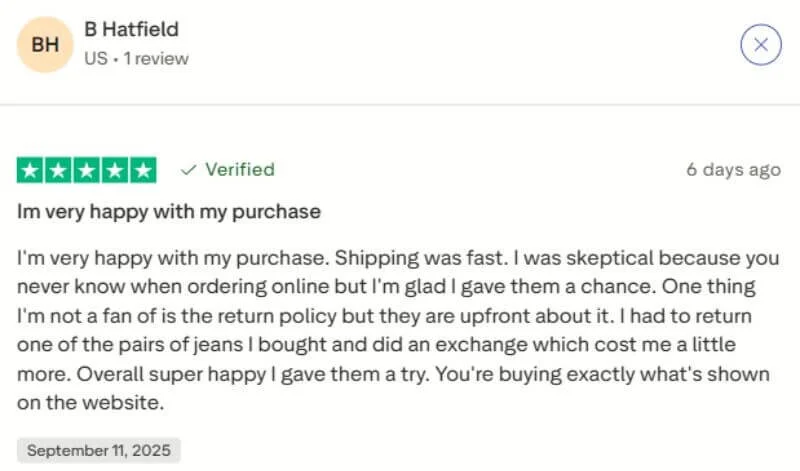
Wild Oak Boutique

Get fashion-forward looks instantly with Wild Oak Boutique. Find cute tops, statement dresses, and trendy outfits for women. Perfect for last-minute brunches or spontaneous nights out. Their curated collections keep your wardrobe fresh, stylish, and on-trend.

Best For Trendy, stylish clothing for women
Return Policy 30-day return, items must be unused
Shipping Time Same-day shipping

3. Cider

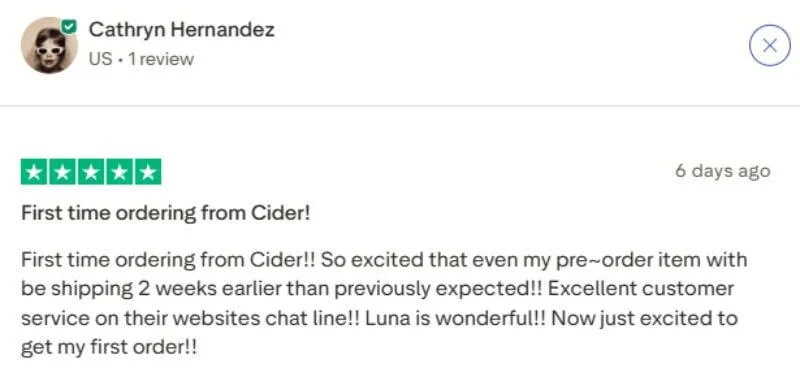
Cider Trustpilot Customer Review

Shop trendy fashion without breaking the bank at Cider. Discover bold prints, seasonal trends, and statement pieces. Perfect for fashion lovers who like to experiment with style and add variety to their wardrobe.

Best For Trendy, affordable fashion
Return Policy 14-day return, items must be unused
Shipping Time US: 7–11 days, UK: 6–9 days

4. Club L London

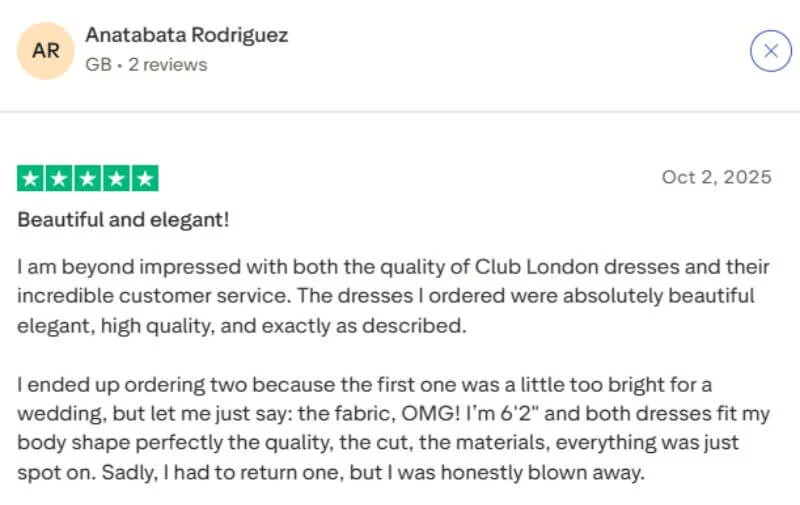
Club L London Trustpilot Customer Review

Get party-ready looks quickly with Club L London. Find cocktail dresses, sleek jumpsuits, and stylish party outfits. Perfect for last-minute events, their collections make dressing up easy, fun, and stress-free.

Best For Occasion & party wear for women
Return Policy 14-day return
Shipping Time 1–2 business days

5. Mytheresa

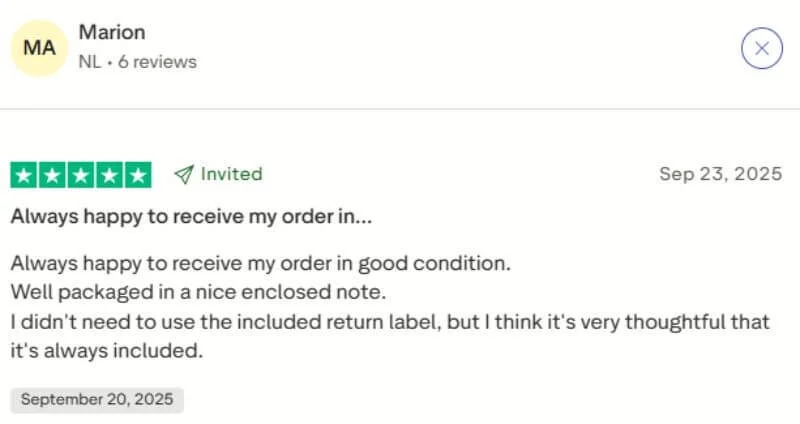
Mytheresa Customer Review

Shop luxury fashion at Mytheresa. Find designer labels, premium fabrics, and statement pieces. From handbags to evening gowns, Mytheresa helps you look glamorous and stylish every time. For inspiration on luxury fashion photography, check our Bold Magazine Cover Photoshoot Ideas.

Best For Luxury designer fashion
Return Policy 30-day return, items must be unused
Shipping Time 2–4 business days

6. COMMENSE

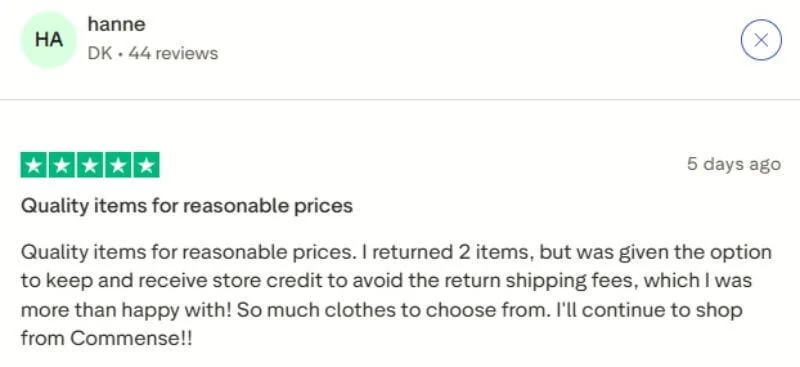
Commense Customer Review

Shop sustainable minimalist fashion at Commense. Discover clean lines, neutral tones, and timeless pieces. Perfect for a capsule wardrobe, their versatile clothing lasts season after season.

Best For Minimalist & sustainable fashion
Return Policy 30-day return, items must be unused
Shipping Time US: 7–16 days, UK: 6–10 days, CA: 9–16 days

7. Oh Polly

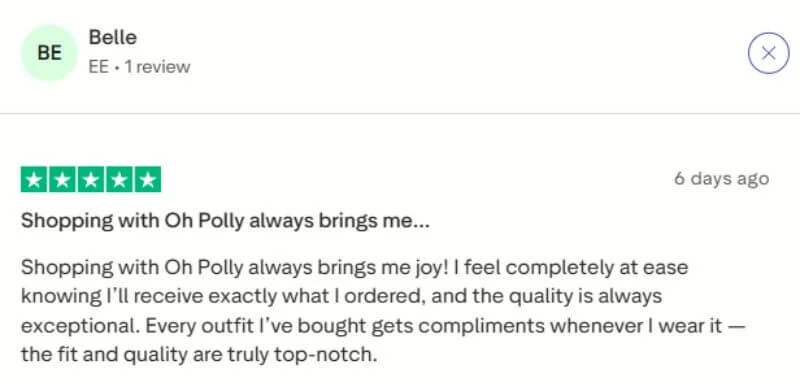
Oh Polly

Shop trendy and bold fashion at Oh Polly. Find statement dresses, club-ready sets, and Instagram-ready outfits. Perfect for nights out, with quick shipping and the latest fashion drops.

Best For Trendy women’s fashion
Return Policy 21-day return, items must be unused
Shipping Time Standard: 3–6 days, Express: ≤4 days

8. Lulus

Lulus Customer Review

Shop trendy and affordable online clothing stores at Lulus. Find casual daytime outfits, semi-formal dresses, and everyday chic looks. Lulus makes style accessible without compromising on quality or flair.

Best For Affordable stylish fashion
Return Policy 21-day return, items must be unused
Shipping Time US: 5–9 days, UK: 2–5 days

9. Adanola

Customer testimonial for Adanola highlighting opinions on product quality, fit, comfort, and overall brand experience.

Shop casual and stylish fashion at Adanola. Find comfortable outfits perfect for workdays, brunch, or relaxing at home. Their versatile clothing makes everyday wardrobe choices easy and stress-free.

Best For Women’s everyday fashion
Return Policy 30-day return, items must be unused
Shipping Time Free delivery, 3+ days dispatch

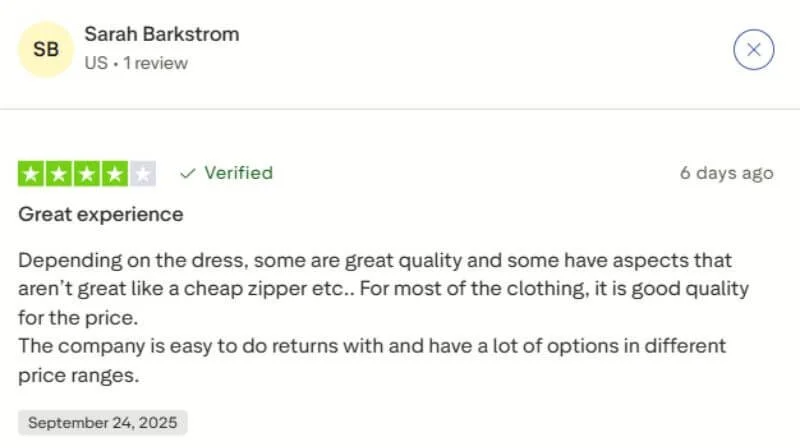
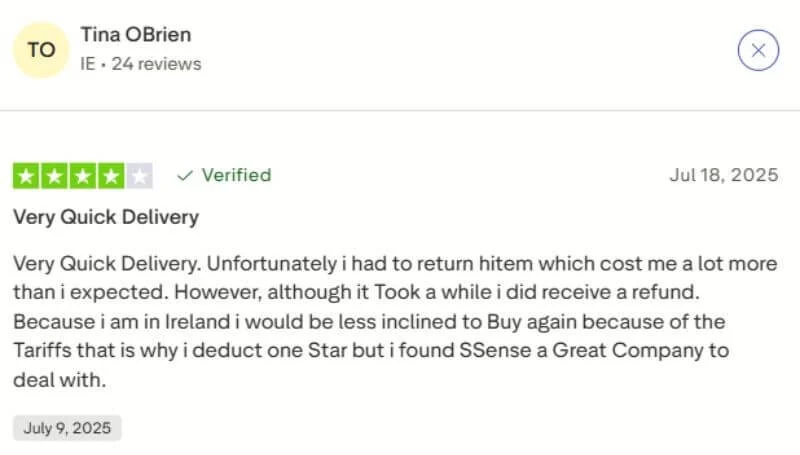
10. SSENSE

SSENSE

Shop luxury streetwear at SSENSE. Find designer pieces, high-end sneakers, and statement jackets. Perfect for fashion-forward shoppers who want edgy, trendy outfits.

Best For Designer & streetwear fashion
Return Policy 30-day return, free for US/CA/JP
Shipping Time 1–2 business days

Final Thoughts

Shopping online can be overwhelming with so many options available, but these 10 stores stand out for reliability, style, and customer satisfaction. Whether you’re looking for sustainable activewear, luxury designer pieces, or trendy everyday fashion, these stores offer something for everyone.

Remember: always check sizing, shipping, and return policies before buying, and read customer reviews to ensure you get exactly what you want. With these tips, you can shop confidently and enjoy a seamless online shopping experience in 2025.

If you run a fashion brand and want to grow like these top online clothing stores, our Social Media Marketing services can help you reach more customers and boost sales

FAQs on Online Clothing Stores

Who is the largest online clothing retailer?

The largest online clothing retailer is Amazon Fashion, offering a vast selection of clothing, shoes, and accessories for men, women, and kids globally.

What are the top women’s clothing brands?

Top women’s clothing brands include Zara, H&M, ASOS, Mytheresa, Lulus, Cider, and Oh Polly, known for trendy, stylish, and high-quality fashion.

Are online clothing stores cheaper?

Often, yes. Online clothing stores can be cheaper due to lower overhead costs and frequent discounts. However, prices vary by brand, quality, and shipping fees.

Show your love