

How to Use Facebook Ads to Generate Leads for a Small Business
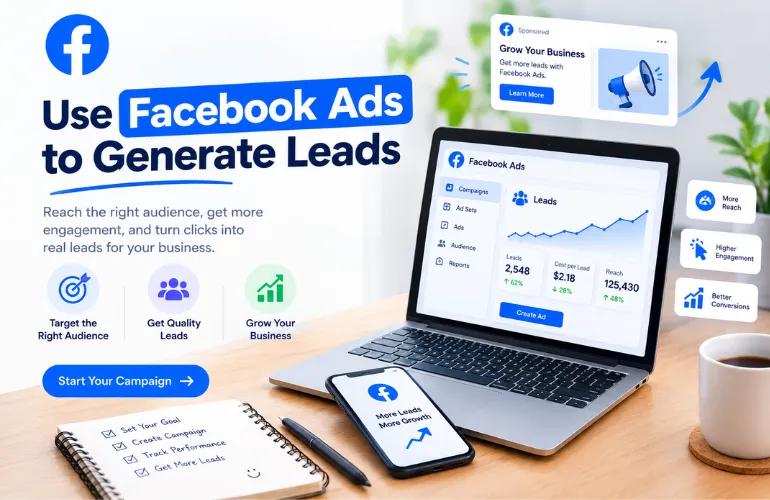
Yes, Facebook Ads can generate real leads for a small business, even on a low budget. Getting leads from Facebook Ads is not simply a matter of choosing a few interests, setting a budget, and waiting for customers to contact you. For a small business, the real challenge is building a campaign where the right people see the right offer.
People should understand what you are offering, and have an easy way to take the next step. That means your Facebook lead-generation strategy needs to cover more than just the ad itself. You need to think about your audience, creative, campaign setup, lead form or landing page, retargeting, and ongoing optimization.
The good news is that you do not need a huge advertising budget to start learning what works. This guide walks through the complete process of using Facebook Ads for small business leads, from finding your audience to improving campaigns after they go live.
Can I Run Facebook lead ads without a website?
Yes, you can run Facebook lead ads without a website. Meta’s Instant Forms (also called lead forms) let people submit their name, email, phone number, and other details directly inside Facebook or Instagram. The form opens right in the feed.
This is one of the biggest advantages for small businesses. This type of business marketing solution is one that does not have a website yet or whose site is not ready for traffic.
- A Facebook Page linked to a Meta Business account
- A privacy policy URL (you can create a simple one with a free generator if you do not have a website)
Many services and businesses (home services, coaching, local shops) start this way and only build a landing page later, when they want more control or higher-quality leads.
Note: You still need a Facebook Page, but personal profiles cannot run ads.
Step 1: Define and Build Your Target Audience
A common mistake is trying to target everyone who could buy from the business. That usually makes the message too broad. Instead, start with people who have a clear need for your product or service.
Start With Who Already Buys From You

Before opening Ads Manager, look at your existing customers. Who actually pays you?
Pull a simple list of past buyers or clients. Note their age range, location, common job titles, and why they bought. If you have emails or phone numbers, upload them later as a Custom Audience. This real data is more accurate than any interest guess Facebook offers.
Even a short list of 50 to 100 real customers gives the algorithm a strong starting signal. Many small businesses skip this step and jump straight into interest targeting. That often leads to higher costs and lower-quality leads.
Core Facebook Targeting Options: Demographics, Interests, Behaviors

Once you know your best customers, use Meta’s basic tools to reach similar people:
Demographics: Age, gender, location, language, education, job title, relationship status, and life events (recently moved, new job, engaged). For a local business service, tight location + age + relevant job titles often work better than broad interest stacks.
Interests: People engage with include small business, home improvement, fitness, parenting, and specific hobbies. Keep the list focused. Too many interests dilute the audience.
Behaviors: Purchase behavior, device use, travel patterns, and digital marketing activity. These are useful for ecommerce or offers tied to recent actions.
In 2026, Meta treats many of these as suggestions rather than hard limits when Advantage+ Audience is on. The system can expand beyond your selections if it sees better results. Still, starting with clear demographics and a few strong interests helps the algorithm learn faster on a small budget.
Custom Audiences vs. Lookalike Audiences – When to Use Each

These two options are powerful, but they do different jobs. Many small business owners mix them up and end up wasting money. Here’s a clear way to use each one.
| Custom Audience | Lookalike Audience | |
| What it is | People who already know your business | New people who are similar to your best customers |
| Built from | Customer email/phone list, website visitors, Page or Instagram engagers, video viewers, lead form openers | A source Custom Audience (usually your best customers or highest-value leads) |
| Best used for | Retargeting warm people + excluding existing customers | Finding new cold leads who look like your buyers |
| When to use it | You already have customer data or website traffic | You want to reach new people and scale beyond your current list |
| Minimum size needed | Even 50–100 people can work | At least 100 people from one country (1,000+ is better) |
| Typical result for a small business | Lower cost per lead, higher conversion rate | Good for growth once you have a solid customer list |
Simple rule for small businesses:
- Start with a Custom Audience from your real customers if you have even a small list.
- Then create a 1% Lookalike from that same list to find new people who behave like your buyers.
- Use interest and demographic targeting only while the Lookalike is still learning or if you have almost no customer data yet.
This combination keeps your cost per lead lower and brings in higher-quality leads than broad-interest targeting alone.
Step 2: Create Ad Creative That Actually Converts Audiences Into Leads

Good targeting only gets your ad in front of the right people. The creative is what makes them stop scrolling and take action. For small businesses running Facebook Ads for leads, simple and clear almost always beats fancy and expensive.
Image vs. Video vs. Carousel: What Works Best for Lead Generation

There is no single winner here; each ad creative performs well depending on the audience, budget, location, and niche. In 2026, our practice observation says that video ads are performing better than image or carousel ads. However, let’s see some of the renowned ad creatives that are often used in their advertising.
Single image Ad
A single image ad is the fastest, cheapest, and easiest way to create. Sometimes a single-image ad works well for simple offers, local services, and retargeting. A clear photo of the result or the problem, plus a short offer, often performs well.
It is noted that Meta brought AI marketing creatives. If you select any demographics, Facebook AI suggests relevant AI-generated options to help you select the best ones.
Video Ad Creative
Video ads are popular in 2026 because people love to watch and can easily understand them through clear, creative visuals. Short videos (15–30-second reels) are created to drive more impressions, reach, and leads for many small businesses.
Carousel Ad
A carousel ad is good when you want to show multiple benefits, steps, or services in a single ad. To run multiple products or services, a carousel ad may be the best choice. This type of ad can be a video or an image.
It is noted that for most small businesses starting out, begin with 1–2 strong single images and one short video. Test them against each other. Let the numbers decide what works for your audience. Testing 2–3 versions of the same offer usually finds a winner faster.
Writing Ad Copy That Matches Small-Business Budgets
You do not need clever slogans or perfect branding. You need clear, useful copy that speaks to a real problem.
Keep your ad copy simple and easy to understand. In that case, follow some directions.
- Lead with the benefit or the problem in the first line.
- Speak like a real person, not a corporation.
- Make the offer obvious (free quote, free guide, free consultation).
- End with a clear next step.
The primary text should be meaningful, and when serving a lead ad, you must make sure of the text.
Avoid long stories about your company history. Talk about what the reader gets.
A Simple Labeled Example Ad
Here is a realistic example of how a local home-service business could run:
Target Audience
Homeowners aged 30–55 in a 15-mile radius who are interested in home improvement.
Primary Text
Tired of waiting weeks for a plumber? Get a free same-day quote from a licensed local team. No pressure, just a clear price.
Headline
Free Same-Day Plumbing Quote
Visual Creatives
A clean before-and-after photo of a fixed leak, or a short 15-second video of a friendly technician explaining the process on-site (with captions).
Call to Action
Get Quote/Contact us
This kind of ad is easy to create with a phone, costs almost nothing to produce, and speaks directly to a real need. That is usually more effective than polished big-brand creative for small-business lead generation.
Step 3: Set Up Your Lead Generation Campaign
Lead generation is one of Facebook’s most popular ad objectives. This objective is selected to run a lead generation campaign. Here, we will clearly discuss full and practical details of the lead generation campaign step by step.
Choosing the Lead Generation Objective in Ads Manager

First, visit Facebook Ad Manager. Select ad objective (Leads) from 6 objectives. Click continue. Now you will be on the campaign page, set up a campaign name that you like and that is easy to remember.
Setting a Realistic Daily Budget for a Small Business

Here, you can select one of your campaign budgets (daily or weekly). Set your daily amount, how much do you want to spend per day.
Lead Campaign Ad Creatives

Ad creative is another important part of the campaign. Especially the lead ad, people decide to send a message based on the ad creatives. However, there are two types of creatives that can be selected (image ads and video ads). Most often, video ads perform better than image ads.
Select one creative and provide headings, description of the creatives, and all other information.
Lead Form Set Up And Submission
Here is another important part for getting valid leads and avoiding fake leads. Set up the lead form carefully, step by step. Give a Lead form name, select form type, and click on continue.

In this step, add some questions (multiple-choice, short-answer, etc.). You may also select information you want to collect from audiences, such as email addresses, contact numbers, names, etc. You may also add a category that you are looking for.

In this stage, add a privacy policy page. It may be the website privacy policy URL or the Facebook privacy policy page URL, and give a link text. This policy page link indicates that you are adhering to some legal and authenticity.

At the end, fill in the additional action button. It means what you want from the audience,
1. Do you want to view the file for the audience? (Select view file).
2. Want to receive calls from audiences? (select call business).
3. Want to get a message on WhatsApp? (click chat on WhatsApp)
So these fields let you decide how you want to gather information from audiences.
Step 4: Instant Form vs. Landing Page — Which Should You Use?
Instagram is another social media marketing platform for businesses. When you run Facebook Ads for leads, you have two main choices after someone clicks: keep them inside Facebook with an Instant Form, or send them to a page on your website. Both work. The right one depends on your offer and how fast you can follow up.
Facebook Instant Forms: Pros, Cons, and Best Use Cases
Instant Forms (also called Lead Forms) open right inside Facebook or Instagram. Name, email, and phone are often pre-filled, so people can submit in a few taps.
Pros
- Lower cost per lead (often 30–50% cheaper than landing pages)
- Higher form completion rates, especially on mobile
- Fast to set up — no website needed
- Easy to test new offers quickly
Cons
- Leads usually have lower intent
- Limited space for trust signals or detailed explanations
- Weaker tracking for retargeting compared to your own site
Best for: Simple offers, free quotes, low-to-mid ticket services, and businesses that can call or message leads within minutes.
Sending Traffic to Your Own Landing Page: Pros, Cons, and Best Use Cases
Here, the ad sends people to a page you control. You can show reviews, photos, pricing details, and a clear form.
Pros
- Higher-quality leads (people who take the extra step tend to be more serious)
- Full control over messaging, design, and trust elements
- Better tracking with the Facebook Pixel and your CRM
- Stronger for retargeting later
Cons
- Higher cost per lead
- Needs a decent page and a slightly longer setup
- Some mobile users drop off if the page loads slowly
Best for: Higher-ticket services, complex offers, and businesses that need stronger pre-qualification before sales calls.
A Simple Decision Framework: Which One Fits Your Offer?
Ask yourself three quick questions:
- How fast can you follow up?
If you can respond in under 5–10 minutes, → Instant Forms work well.
If follow-up takes hours, → Landing pages filter better. - How simple is the offer?
Free quote, free guide, or basic service → Instant Form.
Custom project, high-value service, or needs explanation → Landing page. - What matters more right now — volume or quality?
Need more leads to test and learn → Start with Instant Forms.
Need fewer but stronger leads → Use a landing page.
Many small businesses start with Instant Forms to gather data fast, then move higher-intent traffic to a landing page once they know what converts. Test both with the same ad creative when you can. Let the cost per booked job or qualified lead decide the winner, not just the cost per lead.
Step 5: Retarget the People Who Didn’t Convert

Most people who see your ad or visit your page will not convert the first time. That is normal. Retargeting lets you show a new message only to people who have already shown interest. For small businesses, this is often the most cost-effective way to convert warm attention into real leads.
Building a Retargeting Audience From Website Visitors and Form Openers
You need the Facebook Pixel (or Conversions API) installed on your site. Once it is working, you can create Custom Audiences from:
- People who visited your website in the last 7, 14, or 30 days
- People who viewed a specific page (pricing, services, or thank-you page)
- People who opened your Instant Form but did not submit
- People who watched a good portion of your video ad
Start simple. A 14-day website visitor audience and a 7-day form opener audience are usually enough for most small businesses. Exclude people who have already converted, so you do not waste money showing ads to existing leads.
What a Simple 2-Step Retargeting Sequence Looks Like
You do not need a complicated funnel. A basic two-step sequence works well:
Step 1 – Reminder (Days 1–7)
Show a short message that reminds them of the offer. Example: “Still need a free quote? It only takes 30 seconds.” Use the same creative style as your original ad so it feels familiar.
Step 2 – Soft push or social proof (Days 8–14)
Show a different angle: a short testimonial, a clear benefit, or a limited-time reminder. Keep the call-to-action simple and the same as before (Get Quote, Book Call, Download Guide).
Keep the audience window short at first (7–14 days). Longer windows dilute the audience and raise costs.
Why Retargeting Often Costs Less Than Cold Audience Ads
Cold audiences have never heard of you. You pay to introduce your business and build trust from zero. Retargeting audiences already clicked, visited, or opened a form. They recognize your name and offer.
Because the audience is warmer:
- Click-through rates are usually higher
- Conversion rates are usually higher
- You often pay less per lead or per booked call
You still need good creativity and a clear offer. Retargeting is not magic. It simply talks to people who have already raised their hands. For most small businesses running Facebook Ads for leads, adding even a small retargeting budget is one of the fastest ways to improve overall results without increasing total spend.
Step 6: Track, Test, and Optimize Your Campaigns

Running ads without checking the numbers is like driving with your eyes closed. You need a simple system to know what is working, what to fix, and when to spend more.
Key Metrics to Watch: CTR, CPL, and Conversion Rate
Focus on three numbers first:
- CTR (Click-Through Rate) — How many people click after seeing your ad. For lead campaigns in 2026, a solid range is roughly 2.2%–2.7%. Below 1.5% usually means the creative or offer needs work.
- CPL (Cost Per Lead) — How much you pay for each lead. The average across industries sits around 27–28. Your number will vary by niche, but this gives you a realistic benchmark.
- Conversion Rate – The percentage of clicks that become leads. Higher is better. Track this so you know if the problem is the ad or the form/landing page.
Check these every few days. Look at the last 7 days, not just lifetime data, so you catch changes early.
Simple A/B Testing Framework (What to Test First)
Test one thing at a time. Change too many elements and you will not know what caused the result.
Test in this order:
- Creative — Image vs. video, or two different images
- Primary text — Different first lines or offers
- Audience — Broad vs. interest-based, or two lookalike sizes
- Placement — Feed only vs. Feed + Stories (only after the above are solid)
Run each test long enough to get at least 1,000–2,000 impressions per variation, or until Facebook exits the learning phase. Keep the winner, pause the loser, and move to the next test.
When to Kill an Ad vs. When to Scale It
Use clear rules instead of feelings.
Kill or pause an ad when:
- It spends 2–3 times your target CPL with almost no leads
- CTR stays under 1% after meaningful delivery
- Frequency goes above 3–4 and results drop
Scale an ad when:
- CPL is at or below your target for several days
- You have steady leads (not just one lucky day)
- Frequency is still healthy (usually under 3)
Scale slowly. Increase budget by 20–30% every 2–3 days. Big jumps often reset learning and raise costs.
Good optimization is not about constant changes. It is about watching the right numbers, testing one variable at a time, and giving winners more budget while cutting clear losers. This simple loop is what turns average campaigns into reliable lead sources for small businesses.
Frequently Asked Questions
How much should a small business spend on Facebook Ads?
Most small businesses can start with 10–30 per day. That is enough to exit the learning phase and collect real data within 7–14 days.
If your average cost per lead is around 25–35, a 300–600 monthly budget usually produces a usable number of leads to test and improve. Start small, watch your cost per lead and cost per booked job, then increase only the ads that perform well.
How long does it take to see results from Facebook lead ads?
You can start seeing leads within the first few days if the offer is clear and the audience is relevant. Meaningful results (stable cost per lead and enough data to optimize) usually take 7–14 days. Facebook needs time to leave the learning phase. Judging a campaign after only 2–3 days often leads to wrong decisions.
Are Facebook Instant Form leads lower quality than landing page leads?
Yes, Instant Form leads are often lower in intent than landing-page leads. Because the form opens inside Facebook and many fields are pre-filled, people can submit with very little effort. Landing-page leads have to click through, wait for the page to load, and fill out a form themselves. That extra step filters out many casual clickers.
Do I need a Facebook Pixel if I use Instant Forms?
No. You can run Instant Form campaigns and collect leads without the Pixel. The Pixel becomes useful when you want to:
- Retarget people who visited your website
- Build stronger Custom Audiences
- Track what happens after the lead is submitted (booked calls, purchases, etc.)
If you only use Instant Forms and have no website traffic, you can start without it. Add the Pixel as soon as you have a site or want better retargeting.
Can I run Facebook lead ads without a website?
Yes. Meta’s Instant Forms let people submit their details directly inside Facebook or Instagram. You only need:
- A Facebook Page connected to Meta Business Suite
- A privacy policy URL (you can create a simple one for free if you do not have a website yet)
Leads appear in Meta’s Leads Center and can be downloaded or sent to your CRM.
Final Thoughts
Getting consistent leads from Facebook Ads is not about big budgets. It is about following a clear process: right audience, simple creative, easy response option, retargeting, and steady optimization. Most small businesses fail because they skip steps or judge results too early. Start with one strong offer, one clear audience, and one simple way for people to respond. Then improve from real data. When you need help managing campaigns or improving results, professional PPC support can save time and reduce wasted spend.